
Self-Drive: Autonomous Implementation
Let Self-Drive automatically implement your entire Implementation Guide — sending prompts, verifying output, fixing errors, and advancing through sessions without manual intervention.
Overview
Self-Drive is an AI orchestrator that autonomously implements your Implementation Guide sessions. Instead of manually sending prompts, verifying output, and fixing errors for each session, Self-Drive does it all automatically — using a separate AI model to evaluate your coding agent's output and decide what to do next.
Self-Drive is not a per-task category. It always inherits the agent of the session it attaches to. If your
main_chatis routed to Codex, Self-Drive runs on Codex too. Self-Drive's evidence vocabulary is calibrated per agent — mixing agents inside a single autonomous run would mean reasoning across two grammars. See Per-Task Agent Routing for the full routing reference.
This completes the full automation chain in CodeMantis:
- You describe what you want — a spec requirements document or feature idea
- SpecWriter creates a complete, implementation-ready specification
- Implementation Guide breaks the spec into structured, multi-session plans
- Self-Drive runs the entire implementation automatically
- You get a finished feature set matching the original requirements
From idea to working code — with verification at every step.
How Self-Drive Works
Self-Drive works through Implementation Guide sessions one by one, handling each phase automatically:
Preparing
Reads the current session's prompt and scope from the Implementation Guide.
Building
Sends the session prompt to Claude Code and waits for completion.
Build-checking
Runs the project build (if enabled) to catch compile errors immediately.
Verifying
Evaluates whether Claude's output satisfies the session's verification checklist.
Fixing
If verification fails, sends a fix prompt to Claude Code. Retries up to the configured max attempts.
Testing
Runs the test suite (if enabled) and evaluates results to catch regressions.
Evaluating
The AI orchestrator decides: advance to the next session, retry, or pause for human intervention.
Committing
Creates a git commit (if enabled) before advancing — giving you safe rollback points.
Advancing
Moves to the next session and repeats from step 1.
If the orchestrator cannot resolve an issue after the configured number of fix attempts, Self-Drive pauses and explains the problem. You can review, fix manually, and resume.
What You See
Status Strip
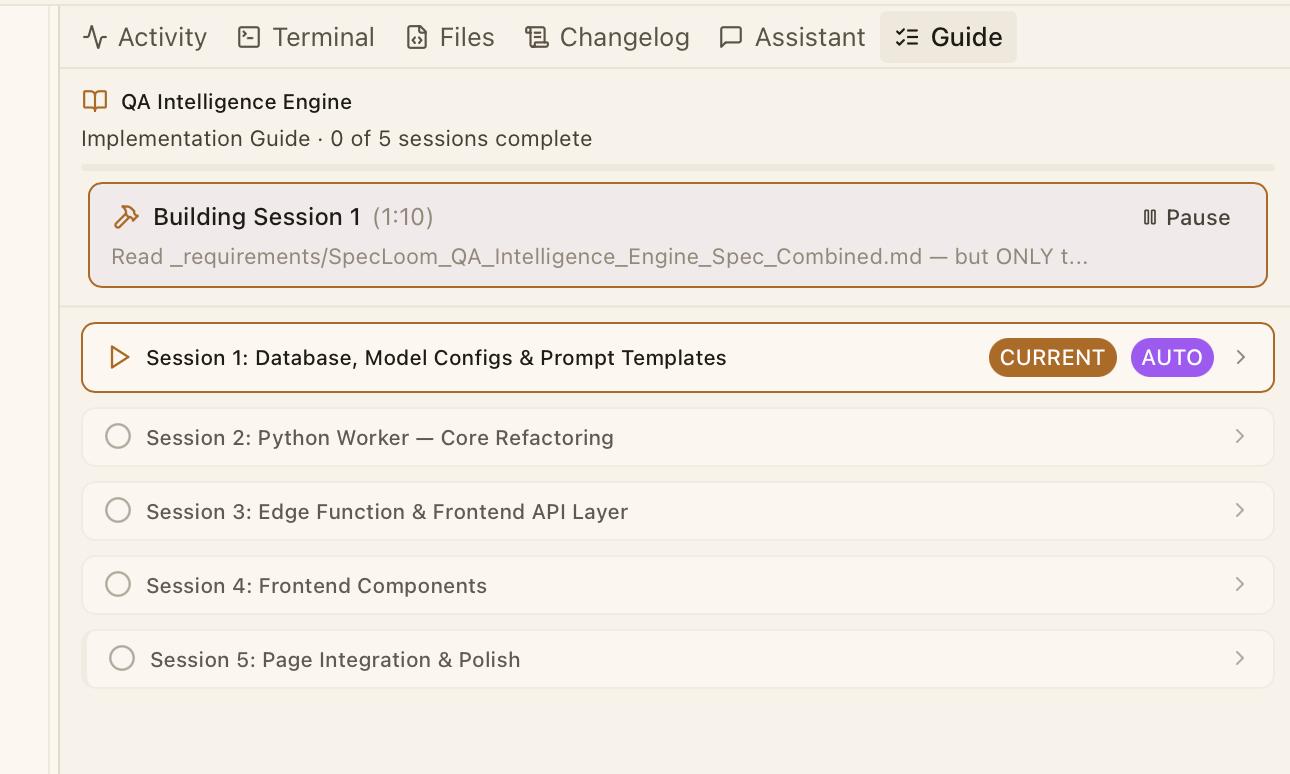
Self-Drive appears in the Guide panel as a status strip above the session list. The strip changes based on the current state:
| State | Appearance | Description |
|---|---|---|
| Idle | No strip visible | Self-Drive is not running. The Guide panel shows sessions normally. |
| Running | Amber-bordered strip | Shows the current phase, session number, elapsed timer, and a Pause button. Fix attempts are displayed when active. |
| Paused | Yellow-bordered strip | Shows the pause reason, Resume and Stop buttons, and a Log button. |
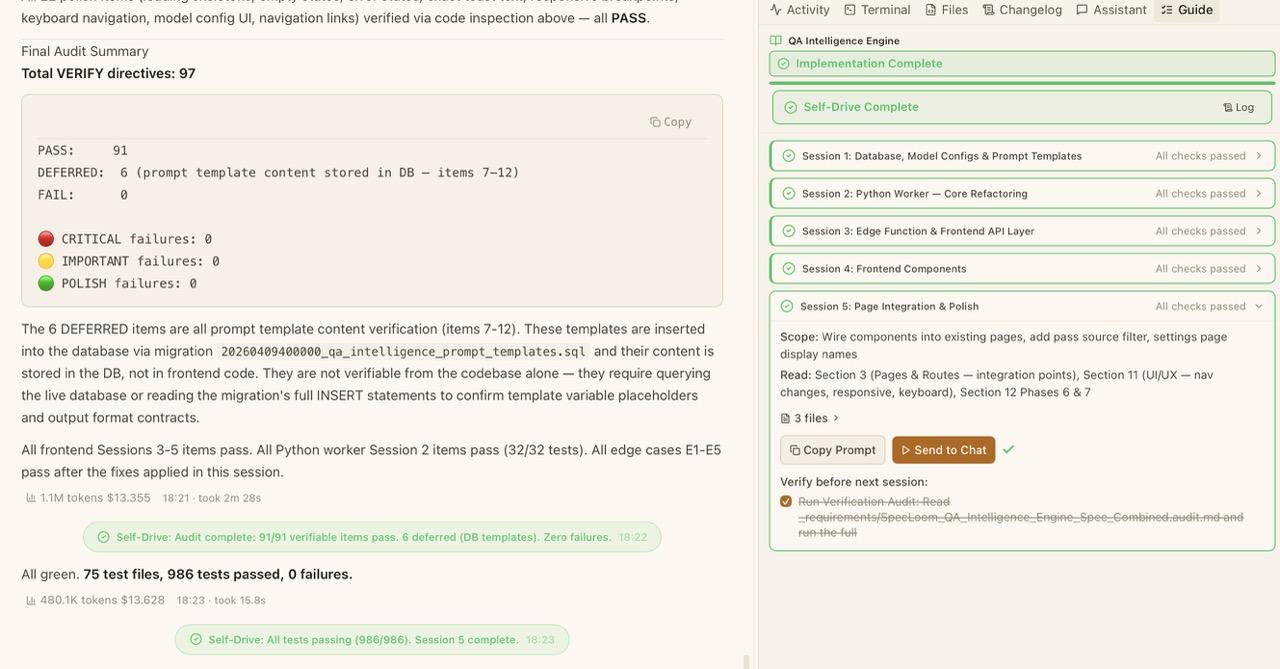
| Completed | Green-bordered strip | Shows "Self-Drive Complete" with a Log button to review the full run. |
Decision Cards
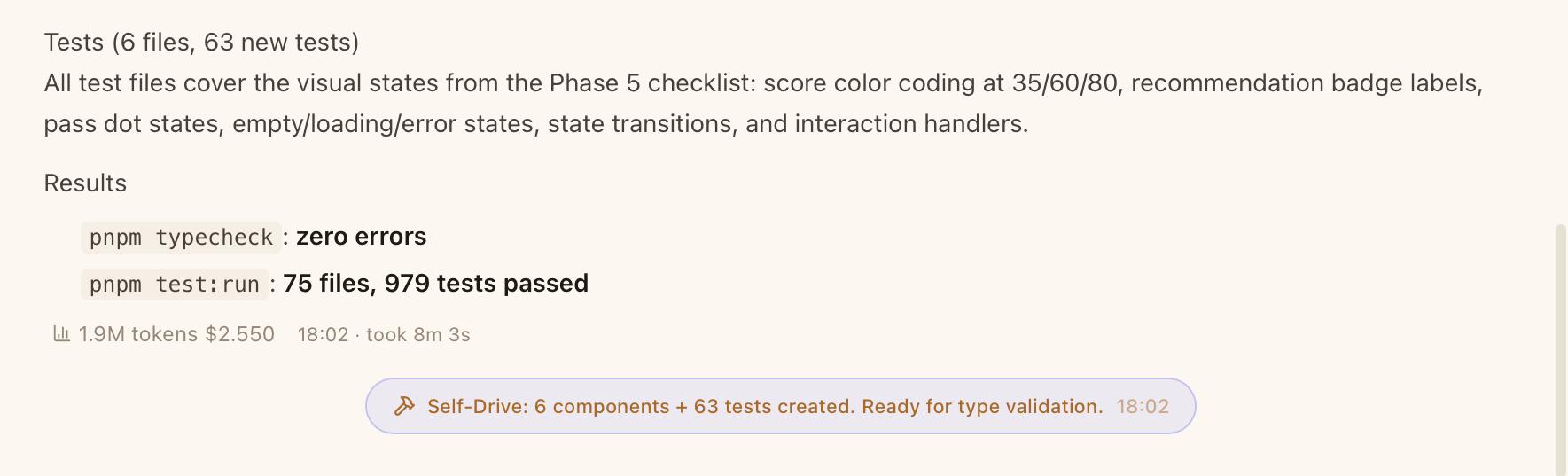
As Self-Drive runs, Decision Cards appear in the Chat Panel as centered, pill-shaped indicators showing each orchestrator decision:
- A color-coded action icon — green check for advance, yellow wrench for fix, blue shield for verify, blue hammer for build check, blue test tube for test, yellow pause for pause
- A summary of the decision (e.g. "All checks passed — advancing to Session 3")
- A timestamp showing when the decision was made
Decision cards give you full visibility into what the orchestrator is doing without needing to open the Run Log.
Recheck Loop
Sometimes Claude Code reports a verify item as passed but the orchestrator can't find clean evidence in the output (the format drifted, or the result was buried in a long log). When the Recheck loop is enabled (the default), the orchestrator asks Claude Code to re-state evidence for the specific item — up to 2 rounds per session, at most 1 recheck per item — before deciding to pause.
In practice this resolves most "format-gap" pauses without human intervention while still keeping a hard ceiling on retries. Disable the setting if you'd rather review every borderline case yourself.
Confidence Guards
Confidence guards protect against unreliable orchestrator decisions. Each decision has a confidence level (high, medium, or low):
- Low confidence on high-stakes actions (advance or abort) — Self-Drive immediately pauses and asks for human review.
- Low confidence on recoverable actions (fix or verify) — Self-Drive proceeds but tracks consecutive low-confidence decisions.
- Three consecutive low-confidence decisions — Self-Drive auto-pauses with a warning, letting you review before continuing.
Using Self-Drive
Generate an Implementation Guide
Use SpecWriter to create a spec, then click Implement to generate an Implementation Guide.
Configure Self-Drive
Go to Settings > Self-Drive to choose an orchestrator provider and model. A fast, inexpensive model (like Claude Haiku or Gemini Flash) is recommended — the orchestrator only reads output and makes short decisions.
Start Self-Drive
Click Start Self-Drive at the top of the Guide panel. Self-Drive begins with the first pending session.
Monitor or walk away
Watch the Decision Cards in the Chat Panel and the progress updates in the Guide panel — or close your laptop and come back later. Self-Drive handles everything.
Controls
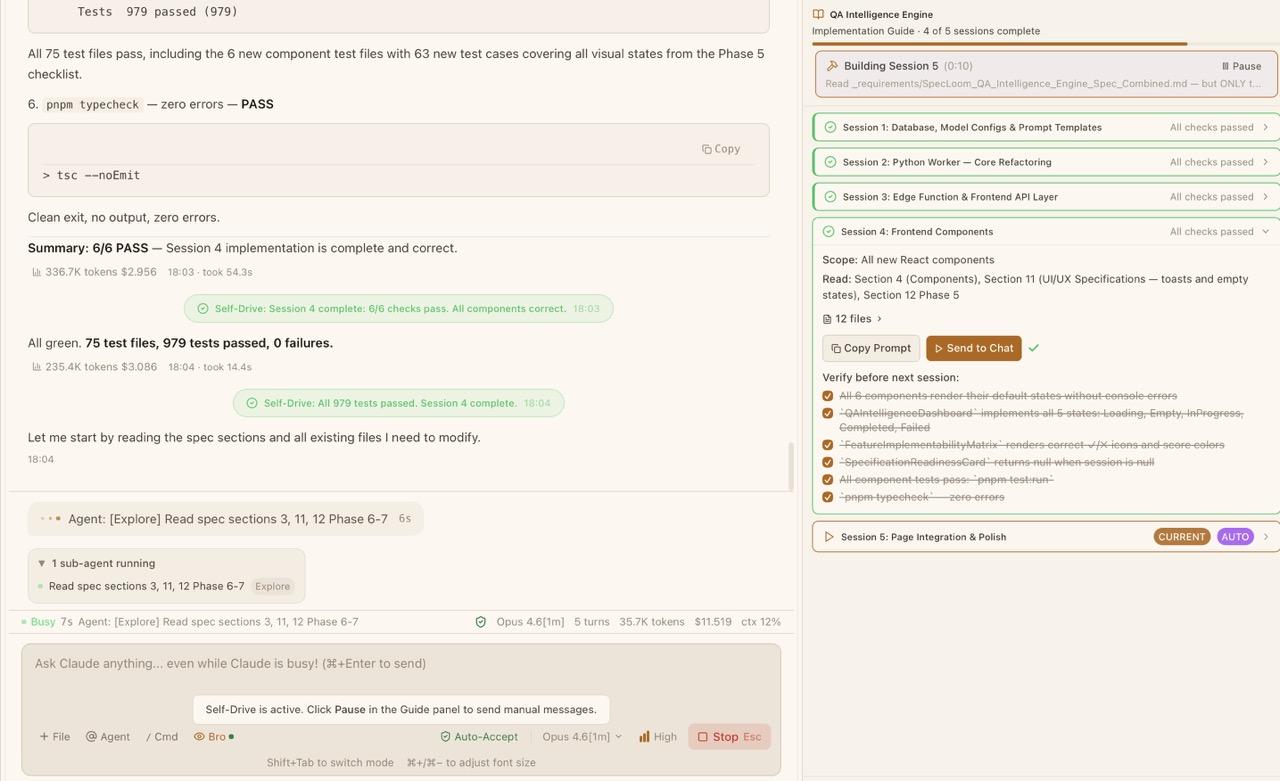
- Pause — Click Pause in the running status strip. Self-Drive finishes the current phase and pauses.
- Resume — Click Resume in the paused status strip. Self-Drive continues from where it left off.
- Stop — Click Stop in the paused status strip. Self-Drive halts completely. You can restart later.
- View Run Log — Click Log in the status strip (available in running, paused, and completed states). The Run Log Viewer shows a chronological list of every orchestrator decision and Claude Code action.
Configuration
Go to Settings > Self-Drive to configure:
| Setting | Default | Description |
|---|---|---|
| Provider | Anthropic | AI provider for the orchestrator (Anthropic, Google Gemini, OpenAI, or OpenRouter). Only providers with configured API keys are shown. |
| Model | Claude Haiku 4.5 (claude-haiku-4-5) | Specific model for the orchestrator. A fast, cheap model (Haiku-class) is recommended. |
| Max fix attempts | 3 | How many times Self-Drive retries a failing session before pausing (1-10). |
| Run build check | On | Run the project build after Claude completes each session. |
| Run test suite | On | Run the test suite after each session to catch regressions. |
| Auto-commit | Off | Create a git commit after each successfully completed session. |
| Recheck loop | On | Lets the orchestrator ask Claude Code to re-state evidence for specific verify items before pausing — up to 2 rounds per session, at most 1 recheck per item. Disable if you want to review every verification pause manually. |
Self-Drive requires an AI provider API key for the orchestrator. Configure API keys in Settings > AI Providers. A warning appears if no keys are configured.
Estimated cost: $0.05 - $0.50 per full guide run, depending on model and guide complexity.
The orchestrator AI is separate from Claude Code itself. It only reads Claude's output and makes short decisions — it does not write code. This is why a fast, inexpensive model works well.
When to Use Self-Drive
Self-Drive is most valuable when:
- Your Implementation Guide has 3+ sessions — automating repetitive prompt-verify-fix cycles saves significant time.
- You trust the spec and guide — Self-Drive follows the plan exactly. A well-written spec produces reliable results.
- You want verified, tested output — with build checks and test suite enabled, Self-Drive catches and fixes issues automatically.
- You have a clear feature to implement — the full chain (SpecWriter > Guide > Self-Drive) works best for well-defined features.
For quick, single-session tasks, using the Implementation Guide manually or sending the spec directly to Claude Code is faster.
Tips
- Use a fast, inexpensive model for the orchestrator (e.g. Claude Haiku 4.5 or Gemini Flash). It only reads output and makes decisions — it does not need a frontier model.
- Enable Auto-commit to create safe rollback points between sessions. If a later session goes wrong, you can revert to the last successful commit.
- Enable both build check and test suite for the most reliable results. Self-Drive can automatically fix build errors and test failures, but it needs to see them first.
- Start with a small guide (3-5 sessions) to get comfortable with Self-Drive before using it on larger implementations.
- If Self-Drive pauses, read the reason carefully. Sometimes a small manual fix (e.g. installing a dependency) is all that's needed before resuming.
Related Articles
- Implementation Guide — The structured session plans that Self-Drive automates
- SpecWriter: Writing Better Specs — Create the specifications that feed the Implementation Guide
- SpecWriter: Feature Mode — Codebase-aware specs for existing projects
- Building a Feature from Scratch — End-to-end guide using the full SpecWriter > Guide > Self-Drive chain
- Setting Up AI API Keys — Configure API keys for Self-Drive's orchestrator
- Settings Reference — All Self-Drive configuration options
Implementation Guide
Turn SpecWriter specifications into structured, multi-session implementation plans with built-in verification.
Duo-Coding: Mentor + Primary Pairing
Pair two coding agents on one task — a Primary that writes and a read-only Mentor that reviews every turn, runs the build and tests, and directs repairs — with a cheap analyst driving a live dashboard.